

Introduction
An entity is one of your company’s legally registered sellers. With multi-entity billing, one Orb account can bill customers from several entities, without duplicating customers, plans or items. Each invoice shows the correct seller name, address and tax IDs, and each payment settles into the correct payment account. Use a multi-entity setup to easily manage:- Regional subsidiaries: Acme Inc. (US) and Acme Ltd. (UK), each with its own tax registration.
- An acquired business: a company kept as a separate legal seller after an acquisition, still invoicing under its own name.
- Separate payment accounts: two sellers that must settle into different payment accounts for compliance or accounting reasons.
This feature is available to all Orb customers on our Enterprise Plan. Contact Orb to learn about access and upgrade options.
The Entity object
Entities are created and managed at the Orb account level. Multiple entities can exist in a single Orb account, and there is no limit to the number of supported entities.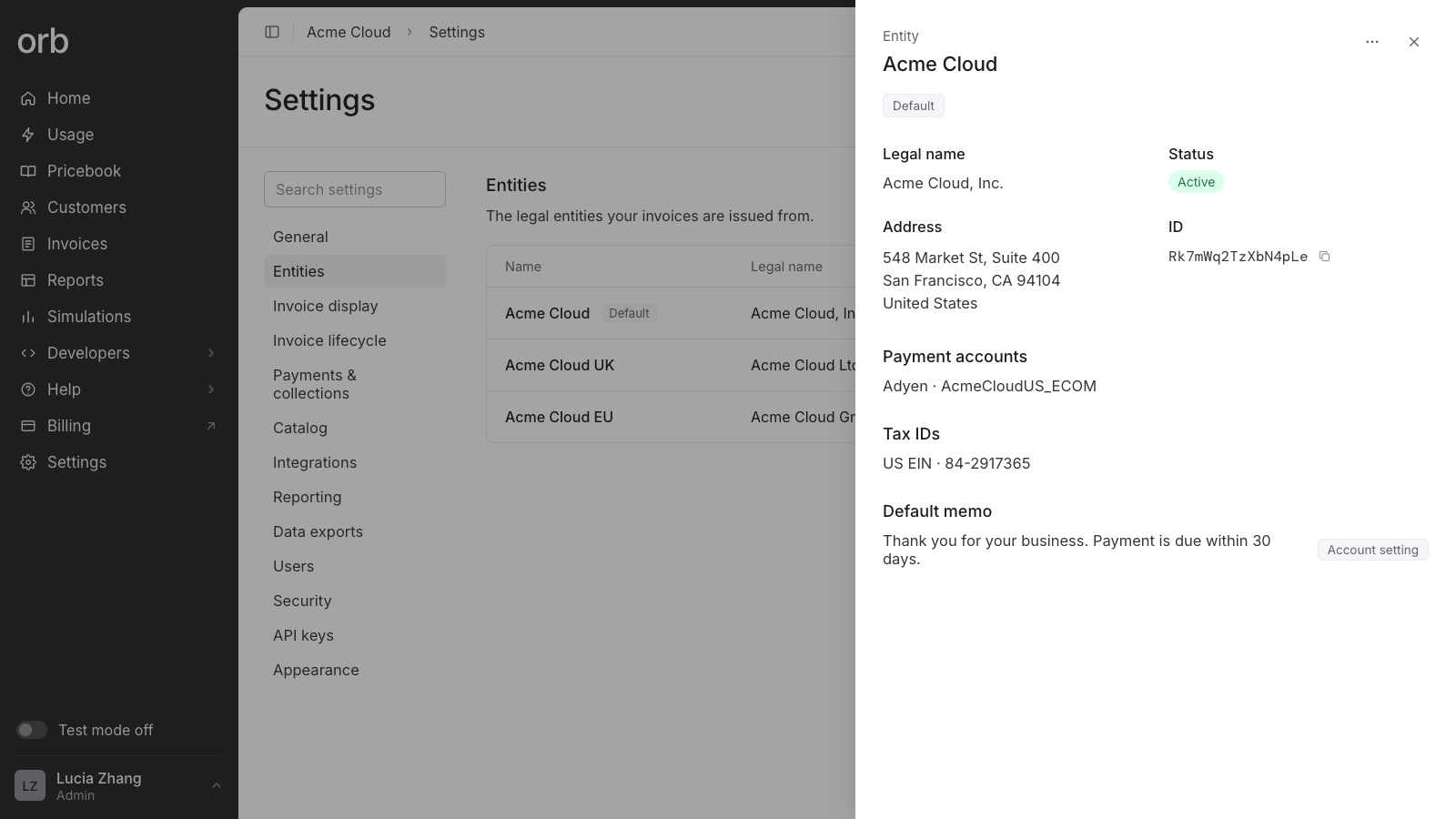
What it stores
How it relates to other Orb objects
Functional impacts
- Subscription and one-off invoices issued from this entity carry the entity specific seller details on the invoice – company name, address, merchant tax IDs, and default memo.
- Automatic payments for entity issued invoices are charged to the corresponding payment account.
- All downstream data accessible via API and data exports includes an entity-identifier for reporting.
Getting started
Setup
- Ensure you are on Orb’s Enterprise plan.
- Go to Settings > Entities.
- Select Add entity.
- Enter the Company name.
- Optionally add the company address, tax IDs and a default invoice memo.
- Optionally add the payment accounts scoped to this entity. Select one or more connected Stripe accounts or Adyen merchant accounts, and choose a default. Payment accounts must first be connected in Settings > Integrations. See Payment connections.
- Save.
Subscription creation
When creating new subscriptions or one-off invoices, select an entity this subscription belongs to.Entity defaults
The account-wide default entity pre-fills the entity value for all new subscriptions and one-off invoices. This value can be overridden at subscription creation time. Customer- and plan- level Default Entities are optional conveniences. Use them to override the account-level default entity, when a customer or plan line is always sold by the same entity.- Customer: On the customer’s details page, edit Default entity.
- Plan: On the plan’s details page, edit Default entity..
Invoice lifecycle
Invoices reflect the seller details of the corresponding entity at invoice issuance time.- Draft invoices stay in sync with the entity since they’re not yet finalized. Any change on the entity carries through until issuance.
- Issued invoices lock seller details at the moment of issuance. Editing the entity afterward has no effect on invoices already issued.
- Regenerating an issued invoice re-pulls seller details from the entity, so if the entity has changed since issuance, the regenerated invoice will reflect that update.
- Credit notes always inherit the seller entity from the invoice they were created against.
Not currently supported
These related features and capabilities are not yet supported, but coming soon.- Entity-scoped in-app reports – filter and pivot by entity on billings, revenue, and AR reports in Orb
- Entity routing of ERP connections (Quickbooks/NetSuite)
- Additional entity-scoped invoice settings – custom invoice templates, currency presets, invoice numbering