

Setup
Connecting Adyen with Orb
Adyen connects with API credentials that you generate in your Adyen Customer Area.- In the Orb dashboard, navigate to Settings > Integrations and select Connect to Adyen.
-
Provide:
- API key: an Adyen API key with the Management API “Webhooks read and write” and “API credentials read and write” roles. Orb uses these roles to provision the webhook and client key on your behalf.
- Merchant account: the merchant account code you want Orb to transact against.
- Live URL prefix: required when connecting in live mode (and only then). This is the prefix Adyen assigns to your live API endpoints.
-
Orb validates the credentials, then automatically:
- registers a webhook from your Adyen account back to Orb (including the HMAC key used to verify it),
- allowlists the Orb invoice portal as an origin, and
- configures the client key the portal uses to render the payment form.
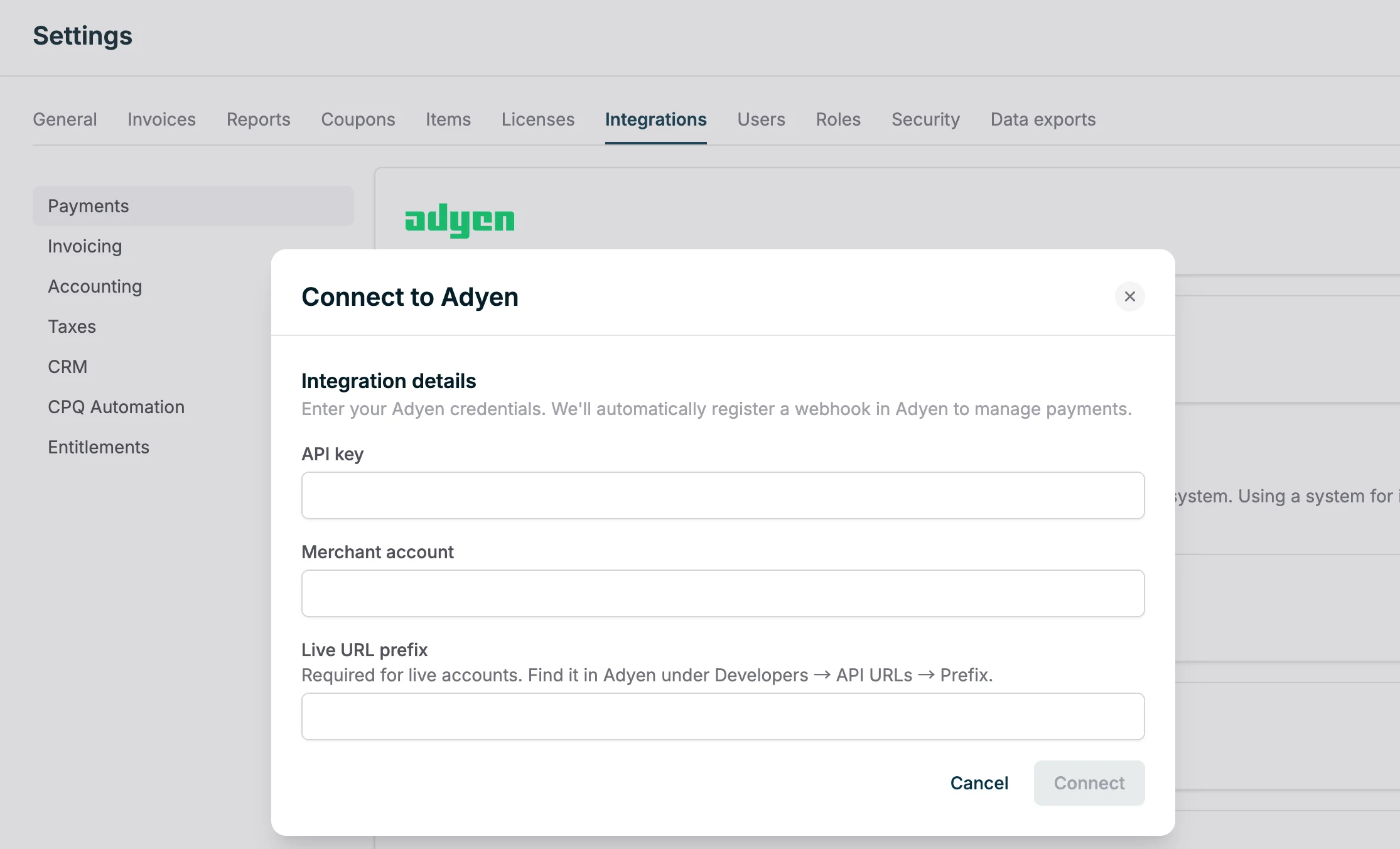
In test mode, Orb connects to your Adyen test environment, so you can exercise the full payment flow safely with Adyen test cards. Live mode connects to your live environment and requires the live URL prefix.
Configuring customers
When creating or updating customers in the Orb UI, select Adyen as the Payment Provider. Customer mappings can also be configured in the API by settingpayment_provider to adyen. You do not need to supply a payment_provider_id. Adyen uses a shopperReference to anchor a customer’s stored payment methods, but Orb manages this for you (using the Orb customer ID), so mapping a customer to adyen is sufficient for Orb to collect payment once the account is connected.
Paying invoices
When a customer opens an invoice in the Orb invoice portal, Orb renders an Adyen Web Drop-in that displays every payment method enabled on your merchant account, such as cards, ACH, PayPal, Klarna, and Bancontact. To add or remove methods, enable them on your Adyen merchant account; no changes are needed in Orb.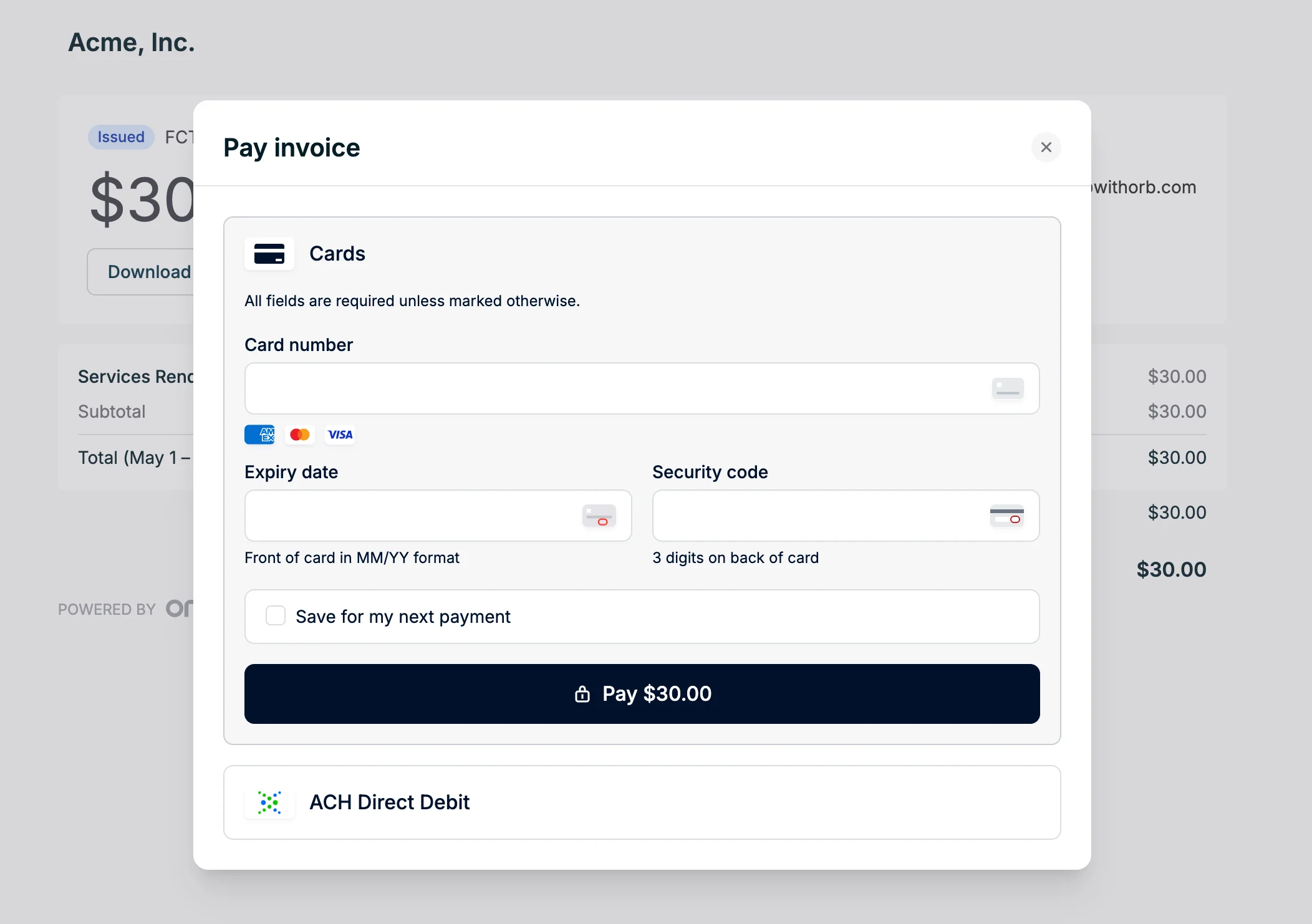
3D Secure authentication
When a payment in the invoice portal requires 3D Secure (SCA), the Drop-in completes the challenge inline as part of the checkout, so no additional setup is needed. Off-session auto-collection charges run without customer interaction, so a stored payment method that would require a 3D Secure challenge to authenticate cannot be charged off-session.Saving payment methods
The Drop-in can save a customer’s payment method for future use. Whether the customer is shown a “save this payment method” option is controlled by your account’s payment settings:- Always save: the payment method is stored without prompting.
- Ask the customer: the Drop-in renders a consent checkbox.
- Never save: no method is stored.
Managing payment methods via the API
In addition to the portal’s “save” flow, you can attach, list, and remove a customer’s stored Adyen payment methods directly through the API, and choose which one is the customer’s default. This is useful when you already hold an Adyen stored payment method (astoredPaymentMethodId) for a customer and want Orb to charge it during auto-collection.
You designate the default payment method for Adyen customers. Tell Orb which stored method is the customer’s default, either by passing
customer_default: true when attaching it or by setting default_payment_method_id on the customer. Orb charges that designated default during auto-collection.Attaching a payment method
Attach an Adyen stored payment method to a customer withPOST /payment_methods. Provide exactly one of customer_id or external_customer_id, and set customer_default to true to make it the customer’s default in the same call. Attaching the same external_payment_method_id to a customer twice returns a 409.
Listing payment methods
List a customer’s payment methods (most recently created first) withGET /payment_methods. One of customer_id or external_customer_id is required. The response follows Orb’s standard pagination format.
Removing a payment method
Delete a payment method withDELETE /payment_methods/{payment_method_id}. This is a soft delete; if the method was the customer’s default, the customer is left with no default.
Setting the default payment method
A customer’s default payment method is what Orb charges during auto-collection. The customer resource exposes it asdefault_payment_method, and you can set or clear it on PUT /customers with default_payment_method_id. Pass a payment method ID to set the default, or null to clear it. The payment method must belong to that customer.
payment_method.created, payment_method.deleted, and customer.edited webhooks so your systems stay in sync.
Auto-collection
When auto-collection is enabled, Orb charges the customer’s default Adyen payment method off-session on the invoice due date. Payment results are reconciled asynchronously through Adyen webhooks, and the invoice’s status, timeline, andinvoice.payment_succeeded / invoice.payment_failed webhooks reflect the outcome.
Refunds
Refunds issued in Adyen are reflected on the corresponding Orb invoice. To return funds to a customer, issue the refund in Adyen, then follow the refund credit note workflow to keep your Orb accounts receivable and balances aligned.Real Time Account Updater
Adyen offers a Real Time Account Updater service, available for Visa, Mastercard, and Cartes Bancaires cards, that can inform about changes to account information such as a card’s number or expiration date. With this service enabled, when a customer payment is refused Adyen instantly checks for updated card details and, if there is an update, immediately retries the payment with the updated card details, within a single transaction. On Orb’s side, enabling this Adyen service allows declined auto-collection charges to be immediately retried with updated card details. Note that charges initiated through the invoice portal are not eligible for these retries. In addition, we will receive the updated card details in the payment response and reflect the updates in our own saved payment information as well. To enable Real Time Account Updater, reach out to Adyen Support to enable this service for your account. Then, in your Adyen Customer Area:- Go to Developers > Additional data.
- Under Payment, check the option to enable Realtime account updater status.
- Under Card, select the card details you want to receive in the payment response. In order for Orb to update our own saved payment information, please select at least the following:
- Card bin details
- Card summary
- Expiry date