

Introduction
Licenses allow you to model generic entitlements in Orb, where usage can be attributed to a unique license for a billing period. The most common application of licenses is to model seat-based pricing in Orb, like for Anthropic Claude or OpenAI Codex, but can be extended to represent anything from bots, agents, workflows, machines. etc Each license can include its own allocation of credits to handle proper billing, fair-usage enforcement, reporting, while still participating in the shared subscription credit pool and standard account-level overage billing. With license allocations, you can:- Track and bill for usage per team member
- Provide a more seamless upsell and upgrade experience
- Run detailed COGS analyses to understand unit economics by user
- Prevent contamination of the shared team-wide allocation pool
Key components
License type
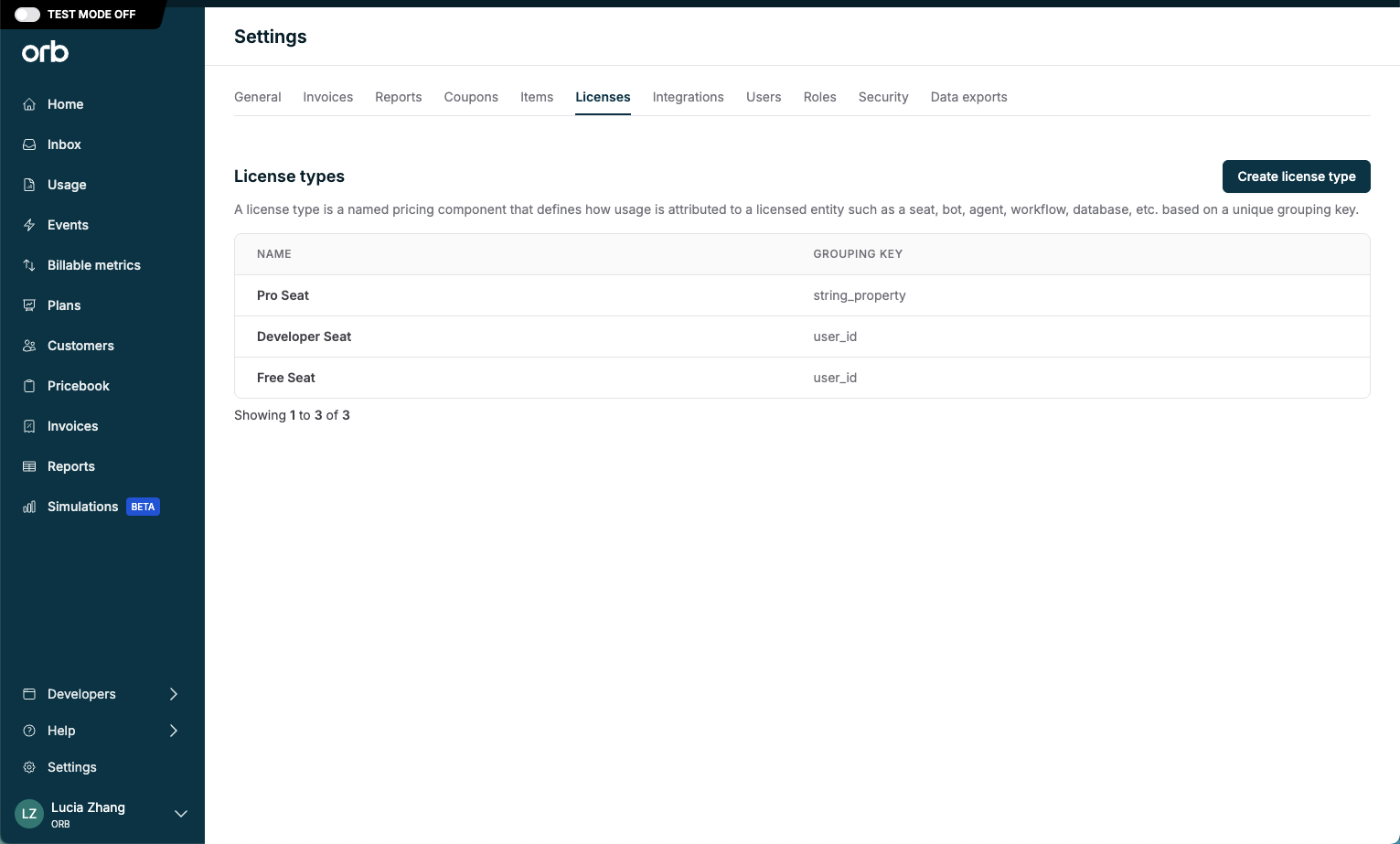
A license type is a named pricing component that tells Orb how to attribute usage events to a licensed entity (such as a seat, bot, agent, workflow, machine, etc.). Each license type is defined by a license grouping key – this is a unique event property that identifies which license a usage event belongs to. Example: If your plans have multiple seat types (Pro, Developer, or Free), create one license type per seat type in Orb. Usage events with a key value pair ofpro_seat = john_doe will attribute those events to John’s Pro license.
License types are configured in Settings, and can be globally used across all plans and subscriptions.
License price
A license price is a fixed-fee price that represents the cost of a single entitlement on a subscription. It is explicitly tied to a license type. It defines how much to charge per license per billing period, and the quantity of licenses to provision. Add a license price when creating a new plan to provision licenses on subscriptions. Currently, you can have one license price per plan (and per subscription). License prices can only be configured on plans with fixed fees and unit-based usage prices.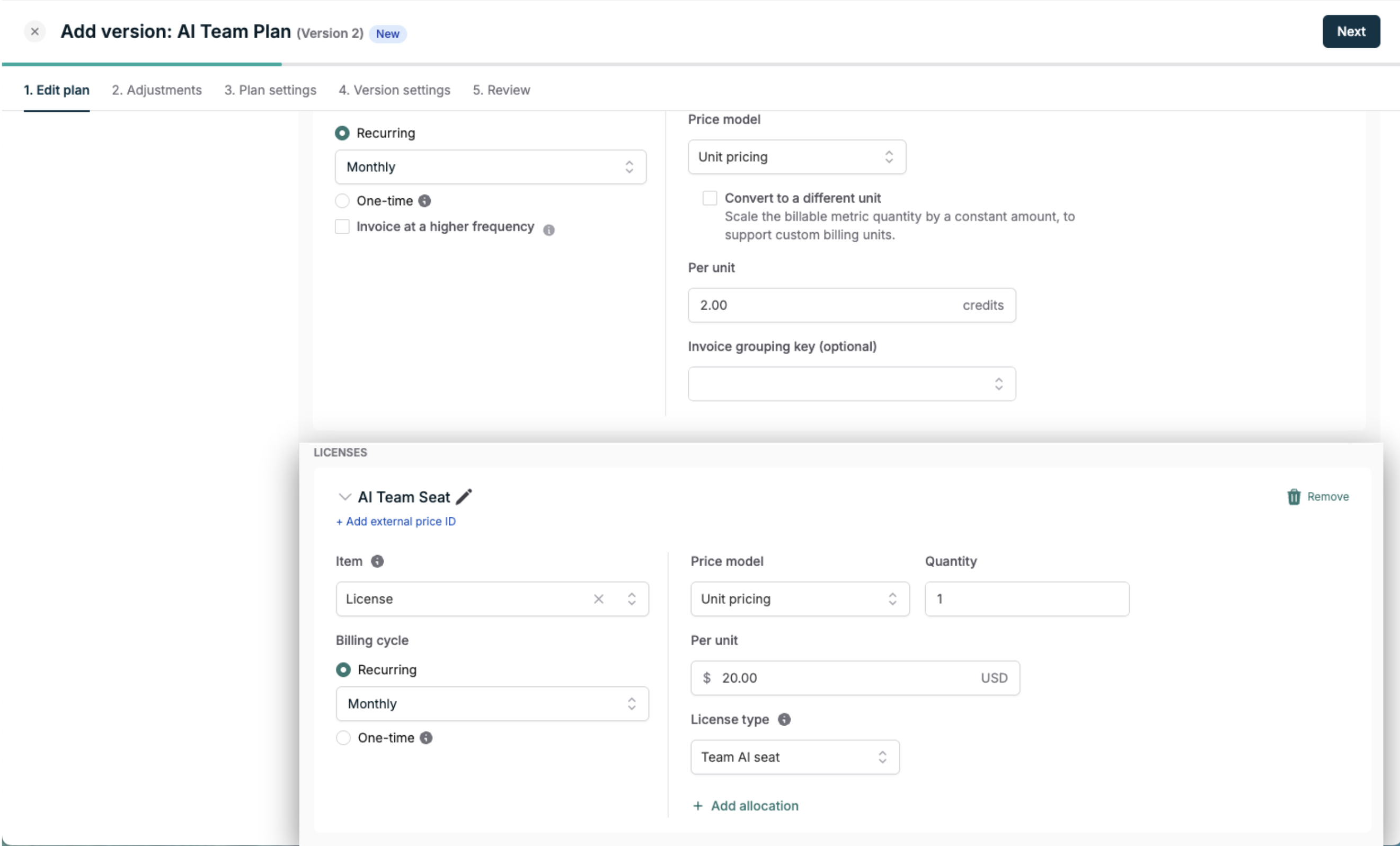
Custom invoice groupings of usage line items is not available for plans with a license price at this time.
Usage
To attribute usage to a specific license, your usage events must include both the license grouping key defined by the license type, and the license value for the individual license as a defined property of the event. Orb uses this key value pair to determine which license a usage event should draw down from. Usage also has to be rated on a price that is eligible for the license’s allocation, as described in Eligible prices. Example: If your license type referencesuser_id, a usage event for user John Doe should include:
- license grouping key:
user_id - license value:
john_doe
user_id = john_doe, upon license activation.
For help getting started with event ingestion, check out our docs.
License allocation
When configuring a license price, each license can optionally include its own allocation of credits to handle proper billing, fair-usage enforcement and reporting. “Add allocation” and define the credit currency and amount that should be provisioned with each license. License allocations are only applied to usage associated with a license, after it has been activated.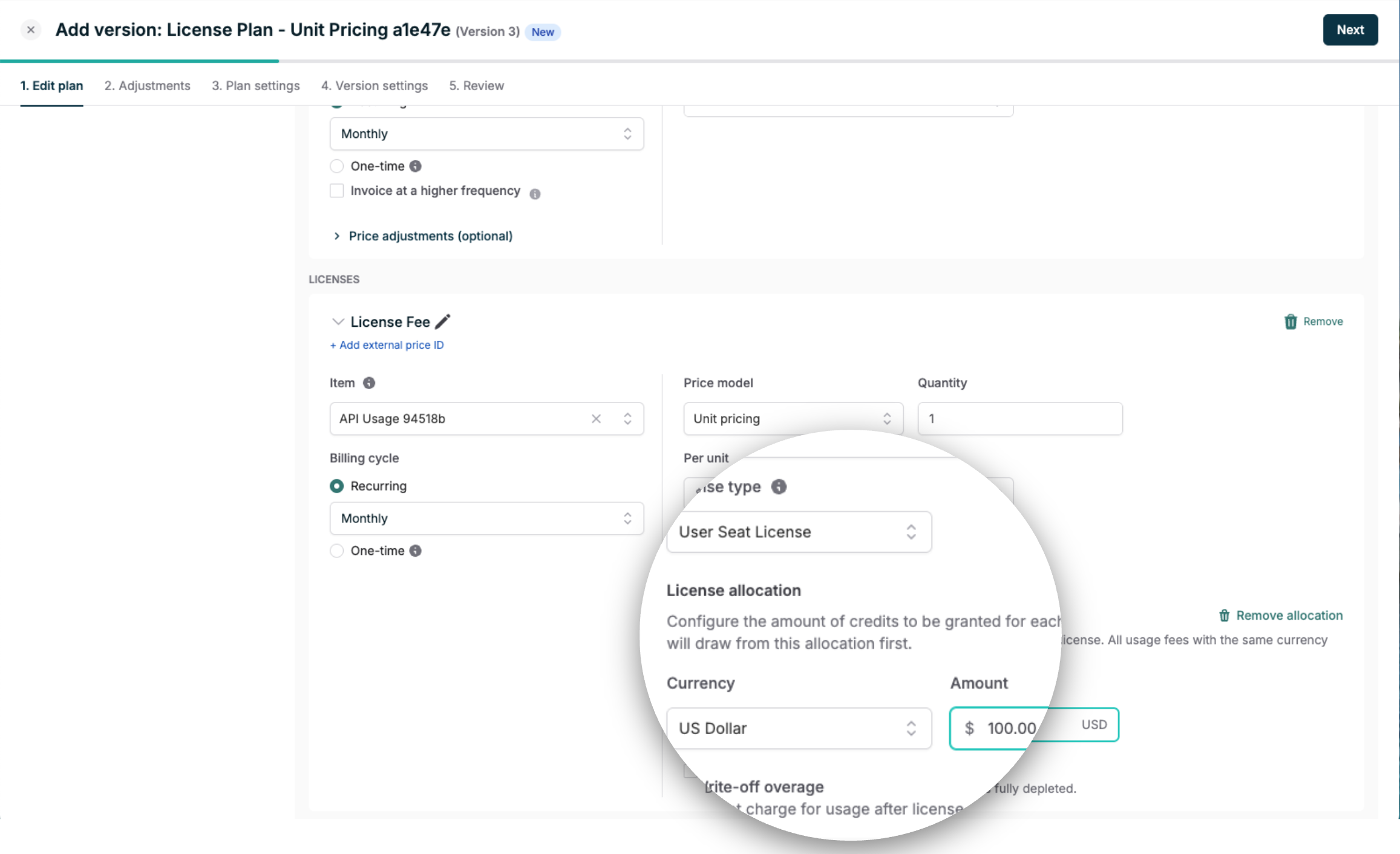
Eligible prices
A license allocation only draws down against usage prices that are eligible for it. Eligibility is set per price. A usage price that is not included bills normally, drawing down the shared credit pool or billing as overage, even when its events carry the license grouping key. A usage price is eligible only if it:- uses the unit pricing model. Other pricing models cannot draw down from a license allocation
- is in the same currency as the license allocation
Eligible prices in the API
In the API, eligibility is set on each price individually withlicense_type_id. There is no equivalent of All eligible prices, so the field belongs on every usage price you want covered, in every request that creates one, including POST /plans/{plan_id}/versions:
license_type_id is optional, so a price that omits it is accepted and created as an ordinary usage price.
The license price and its allocation are created with license_allocation_price. An allocation_price grants standard credits and does not create a license allocation, even when a license_type_id is set on it.
On an invoice, a line item covered by a license allocation shows a license allocation applied amount.
License lifecycle management
License management
When a customer subscribes to a plan that includes licenses, the subscription automatically gains a Licenses tab. This tab is your command center for managing licenses. You can activate, deactivate, and track licenses across the subscription. It also serves as a reporting surface, showing all provisioned licenses and their current status in one place.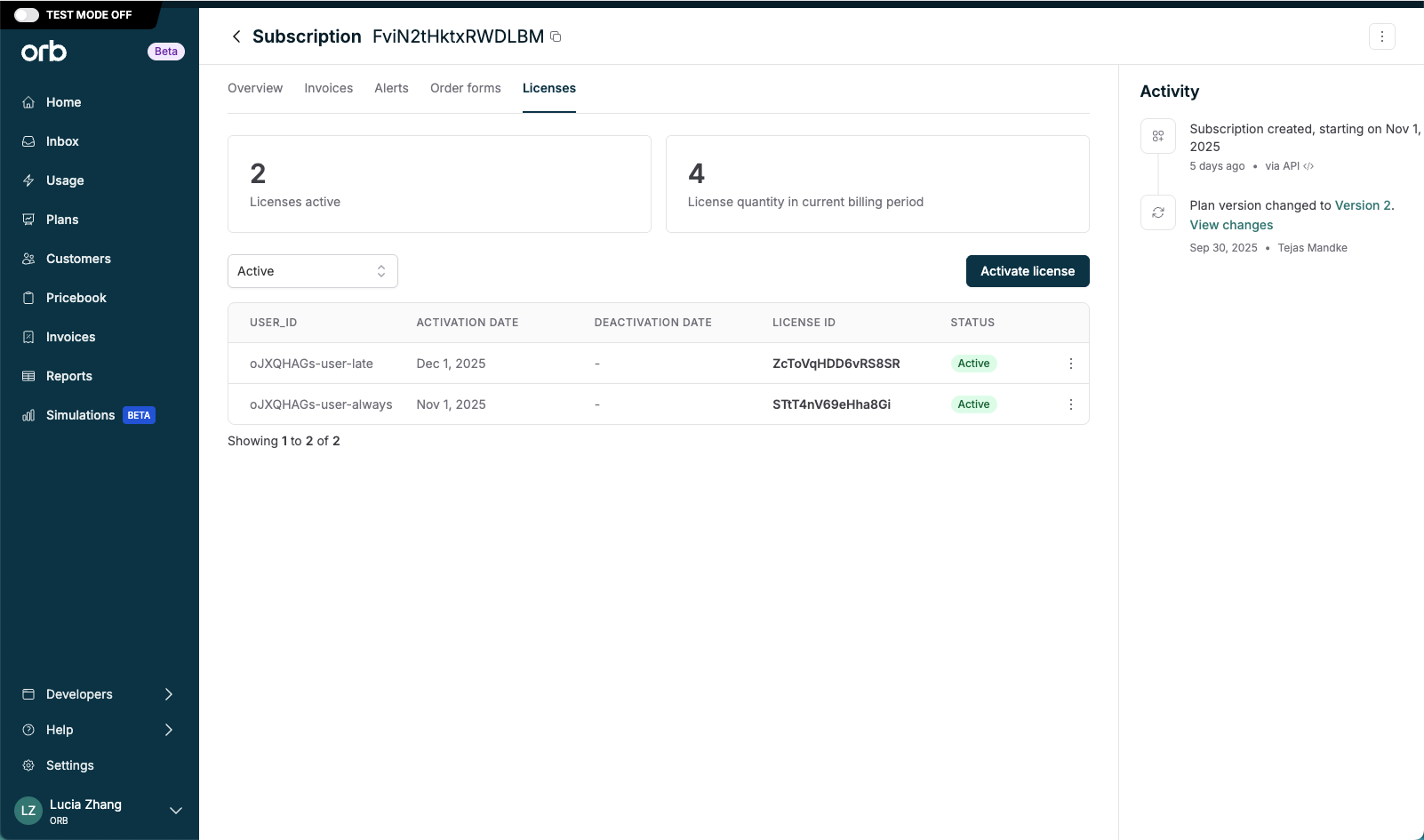
License activation
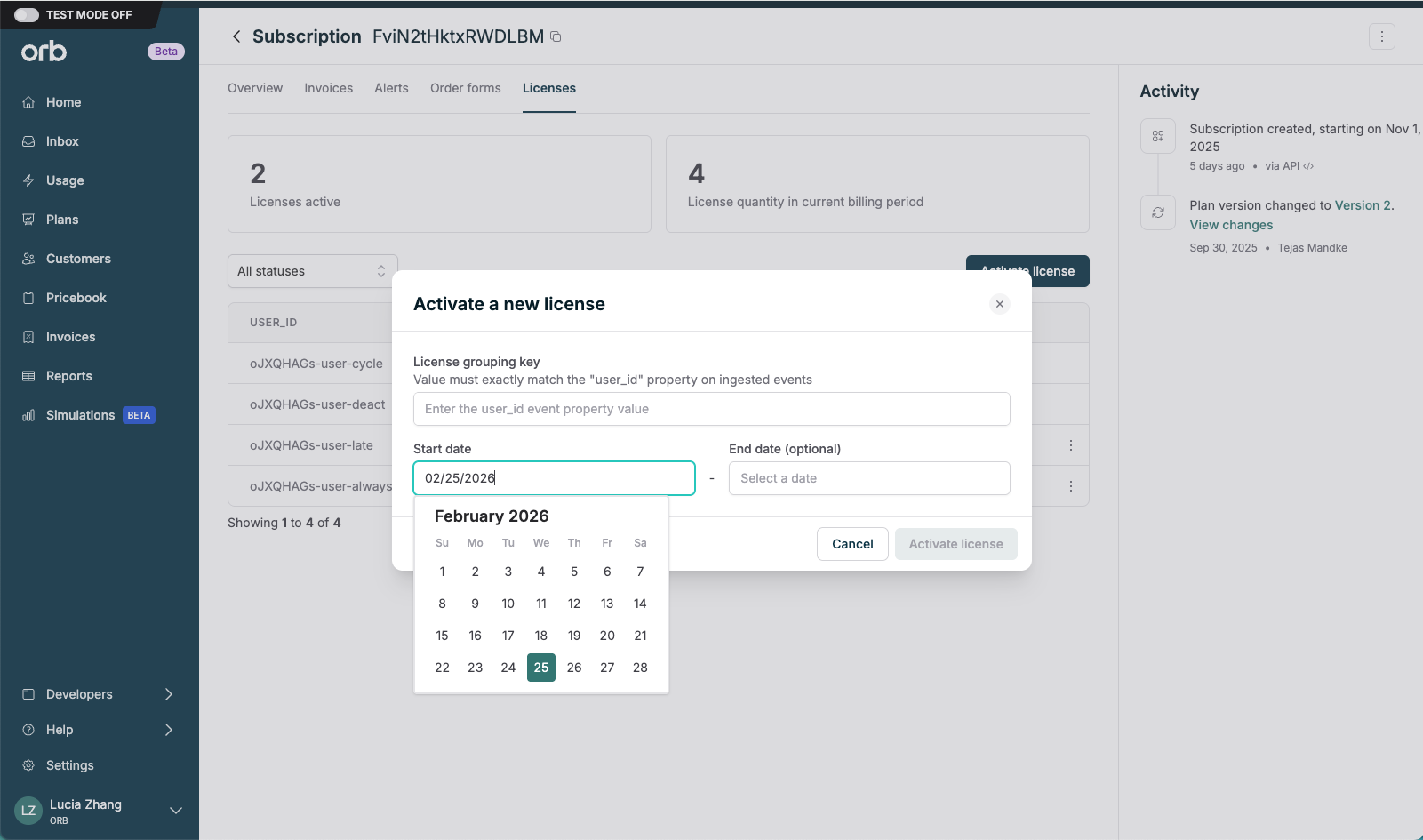
Activating a license in Orb is the mechanism by which usage will start being attributed to that license, given a unique license grouping key to register that license. Actual activation time is date aligned – any usage events ingested will be attributed to that license starting at 00:00 of the activation date in the customer’s timezone. Example: For a license type that referencesuser_id, activate a license for John Doe by inputting john_doe as the license value. Orb will then attribute that usage to the license associated with user_id = john_doe.
This can be done in-app, or programmatically via APIs.
Licenses activated immediately become status “Active. Licenses with a scheduled activation date in the future become status “Inactive”, but will become “Active” on the activation date.
License deactivation
Deactivating a license in Orb is the mechanism by which usage will stop being attributed to that license at the end of the current day in the customer’s timezone.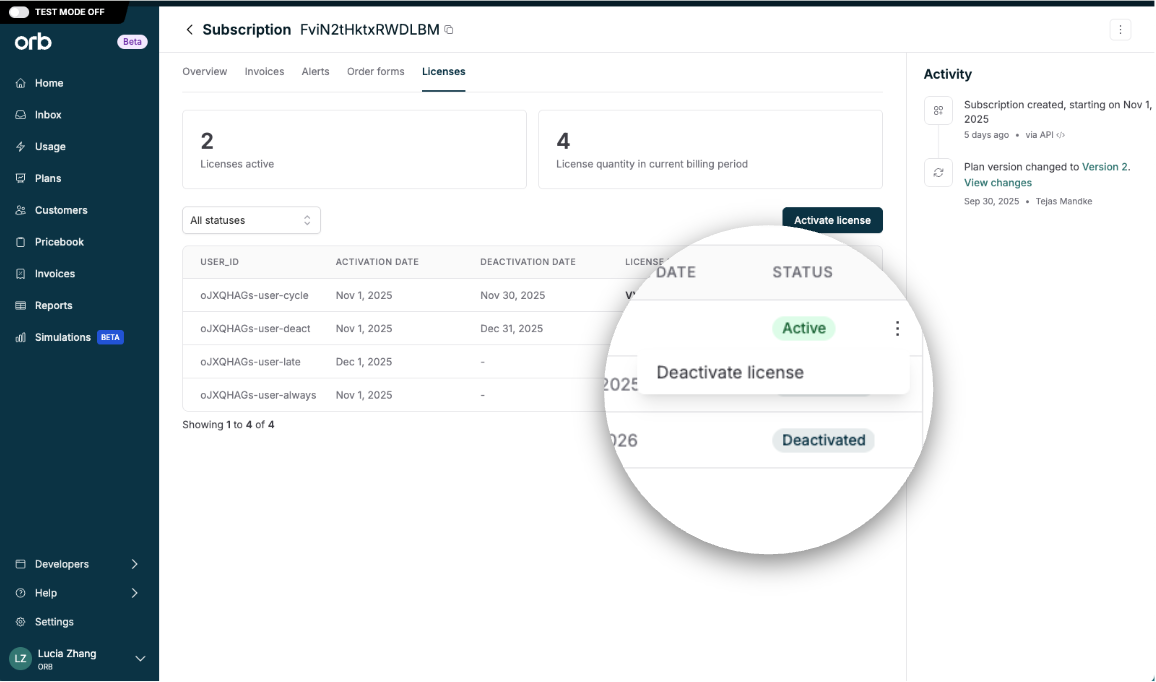
License credit allocation mechanics
Proration behavior
License allocations are not prorated by default and are aligned to the billing period. Activating a license at any point during the period grants the full allocation amount.Interaction with invoice adjustments
Adjustments (discounts, minimums, maximums) only apply to the non-license eligible usage subtotal. Any usage covered by license allocations will not be impacted by any invoice- or price-level adjustments. This is to ensure that:- Adjustments, like discounts, have the maximum benefit or reduction on what you actually pay
- Keep invoices clear and easy to reconcile
Credit deduction order
For usage tied to an active license, Orb always applies the license allocation first. Once that allocation is consumed, Orb falls back to applying standard (non-license) credits based on its standard deduction order. When no credits are available, Orb will bill usage as overage.Configurable overage write-off
Usage that is not covered by the license allocation can be optionally written off. This lets you programmatically forgive small amounts of license-attributed overage without charging end customers, or drawing down from the standard (non-license) credit pool. It is designed to alleviate latency leakage when managing entitlements, or to forgive promotional / trial usage. To configure, check the “write-off overage” setting in the license price.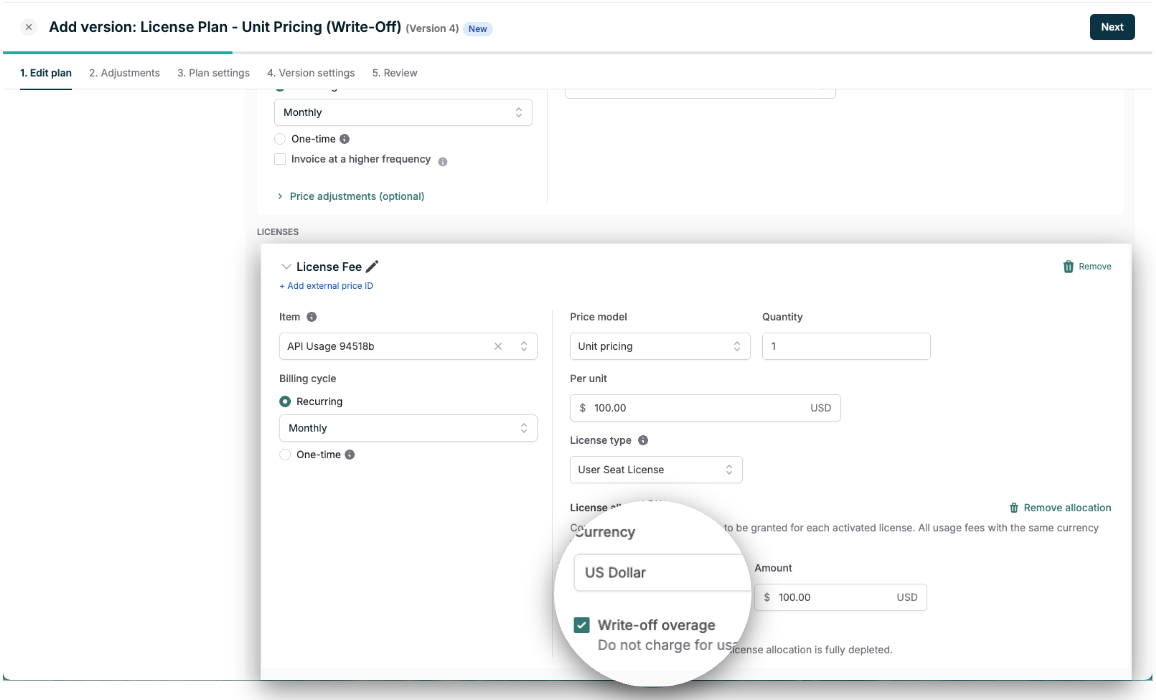
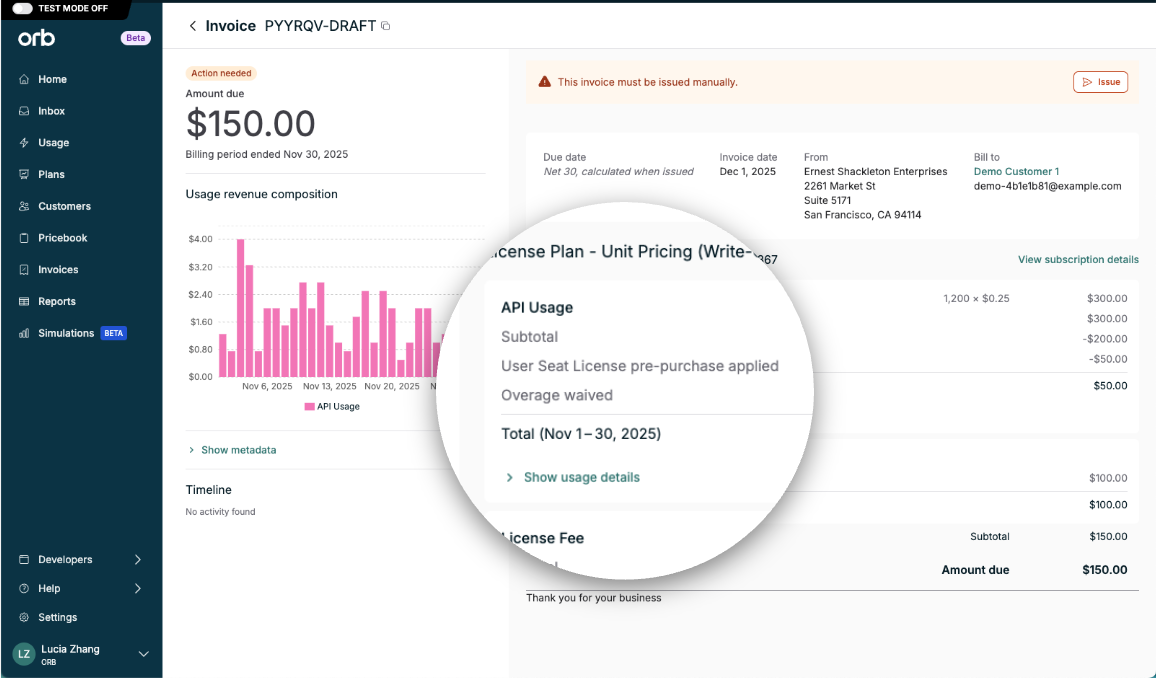
This setting is scoped to license allocations only. It does not impact non-license overage.
Revenue recognition
License allocation credits carry a cost basis of $0. When applied, there is no revenue impact. Instead, the license price is recognized as revenue prorated over the service period, similar to a fixed fee in Orb. Read more about Orb’s revenue recognition methodology here.Operator’s guide
To configure and manage licenses allocations:- Ensure that usage ingested into Orb to includes a license grouping key property.
- Create a global License Type in Settings.
- Create a new plan, and add a License Price.
- Add a license allocation, and define a credit allocation currency and amount per license.
- Confirm which usage prices are eligible to draw down from the allocation.
- Subscribe a customer to a plan with licenses.
- Activate and manage licenses for that subscription to create the license allocation.
- Usage will be billed on the invoice, in accordance with credit availability and deduction.