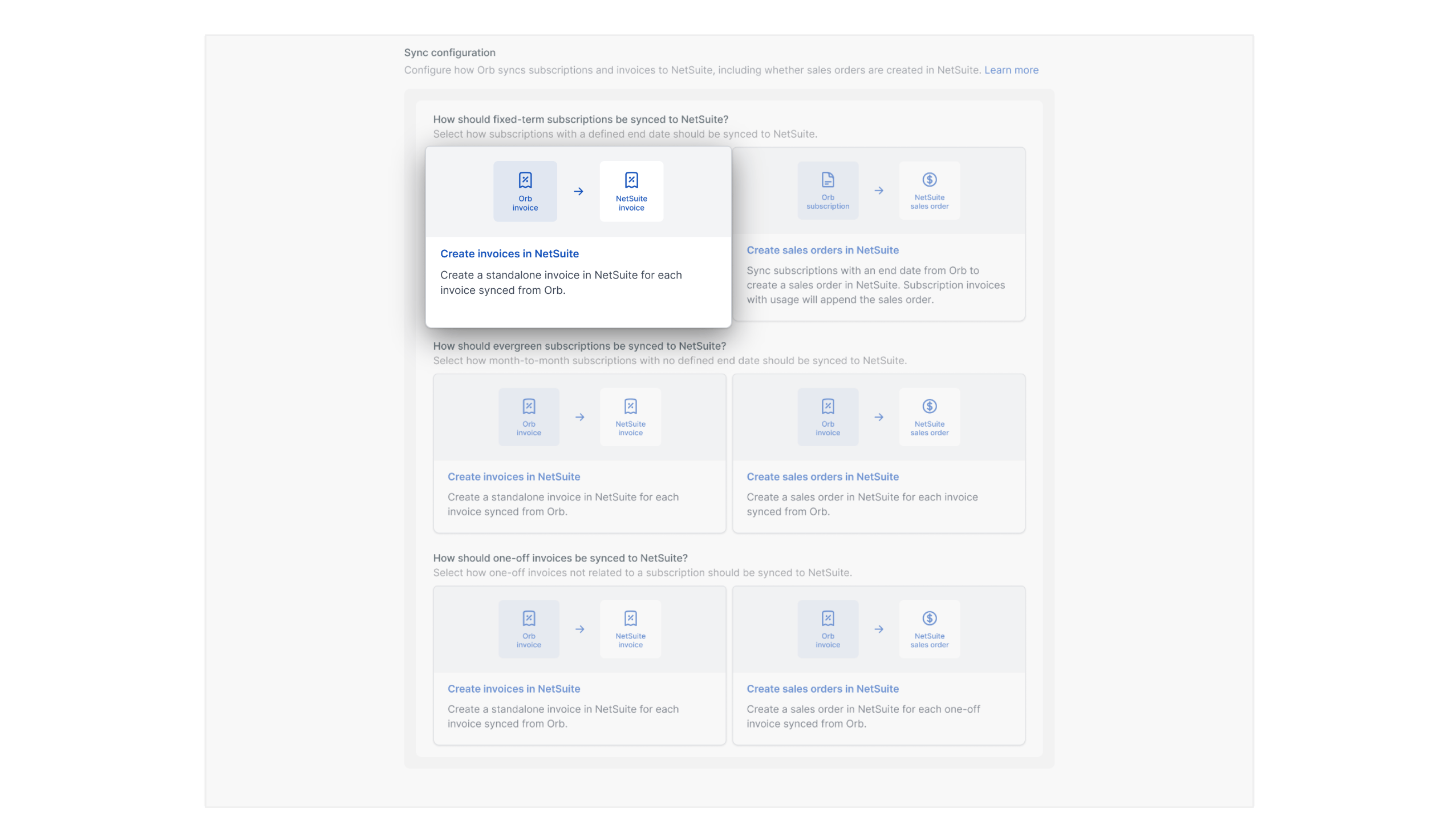
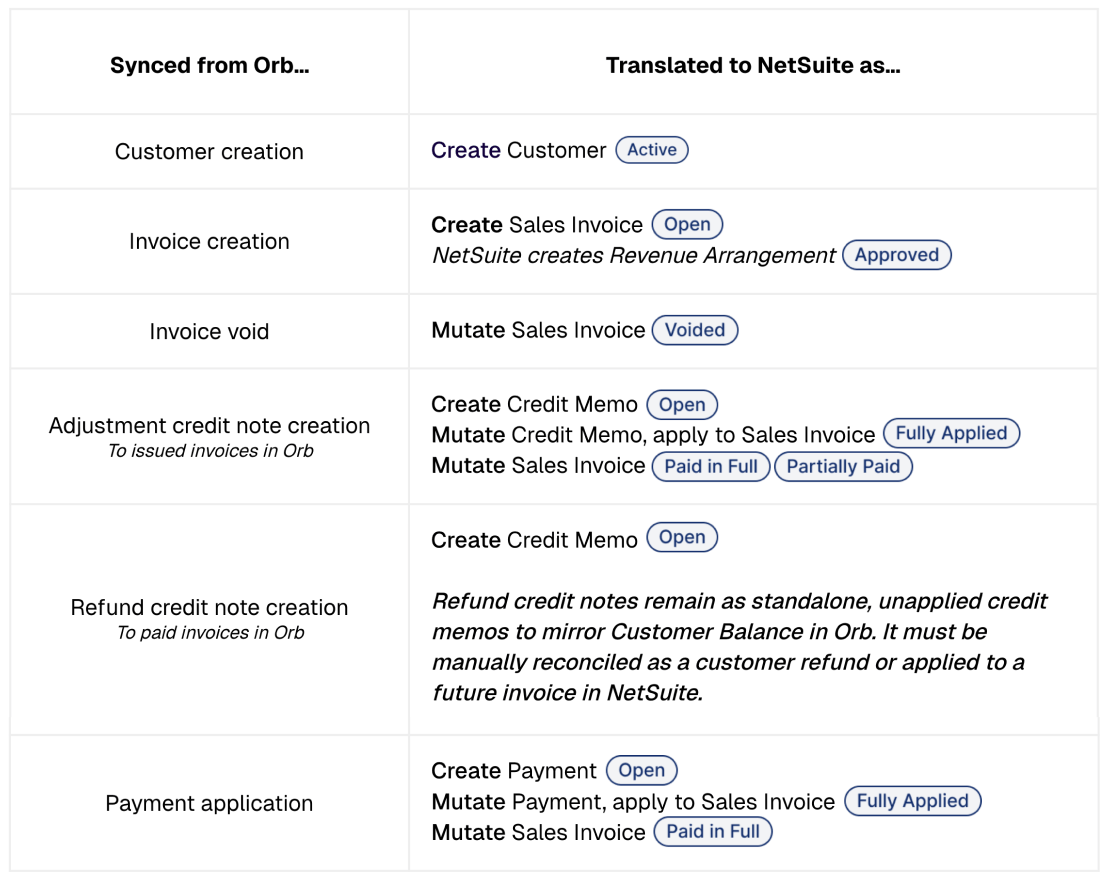
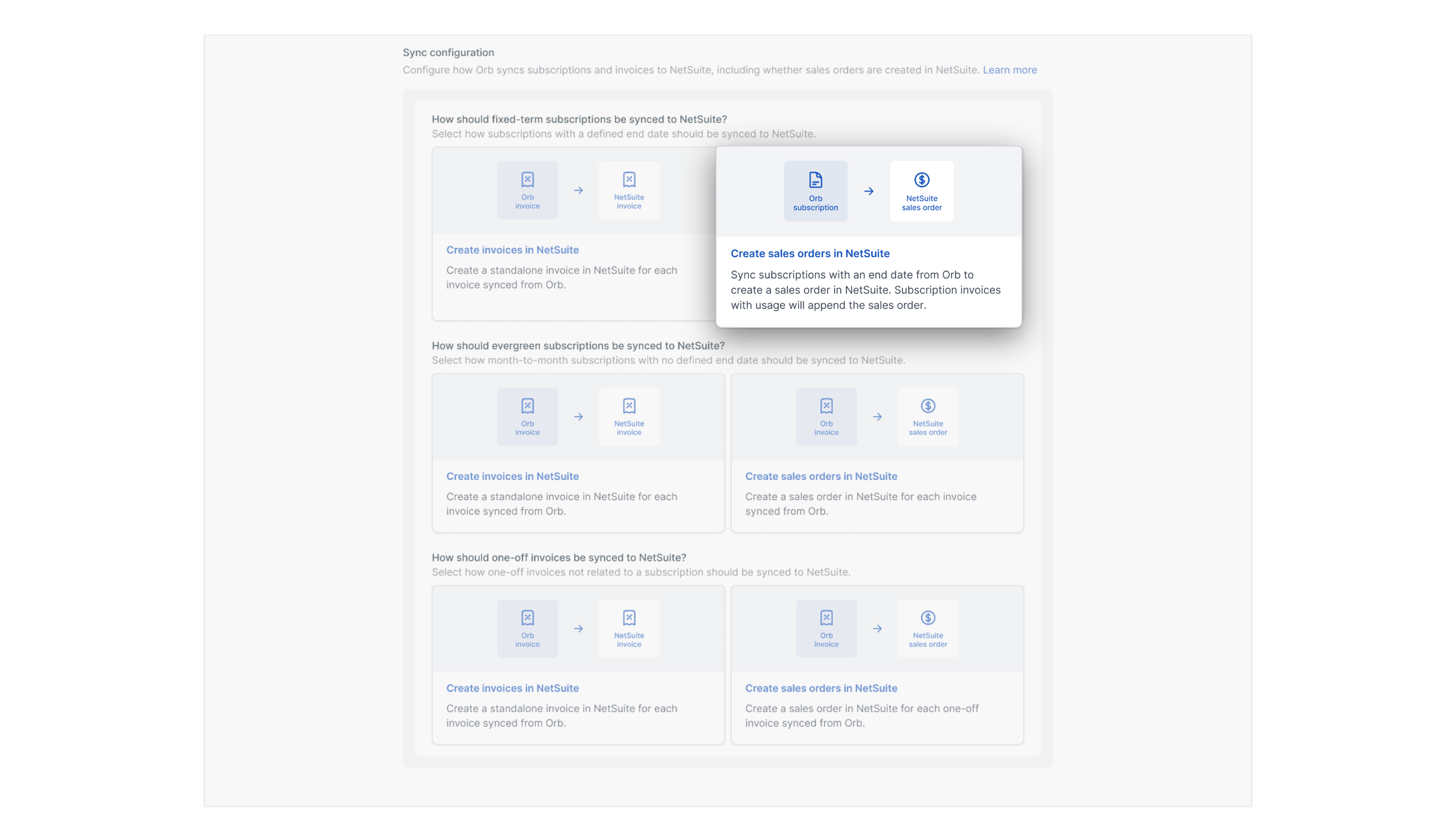
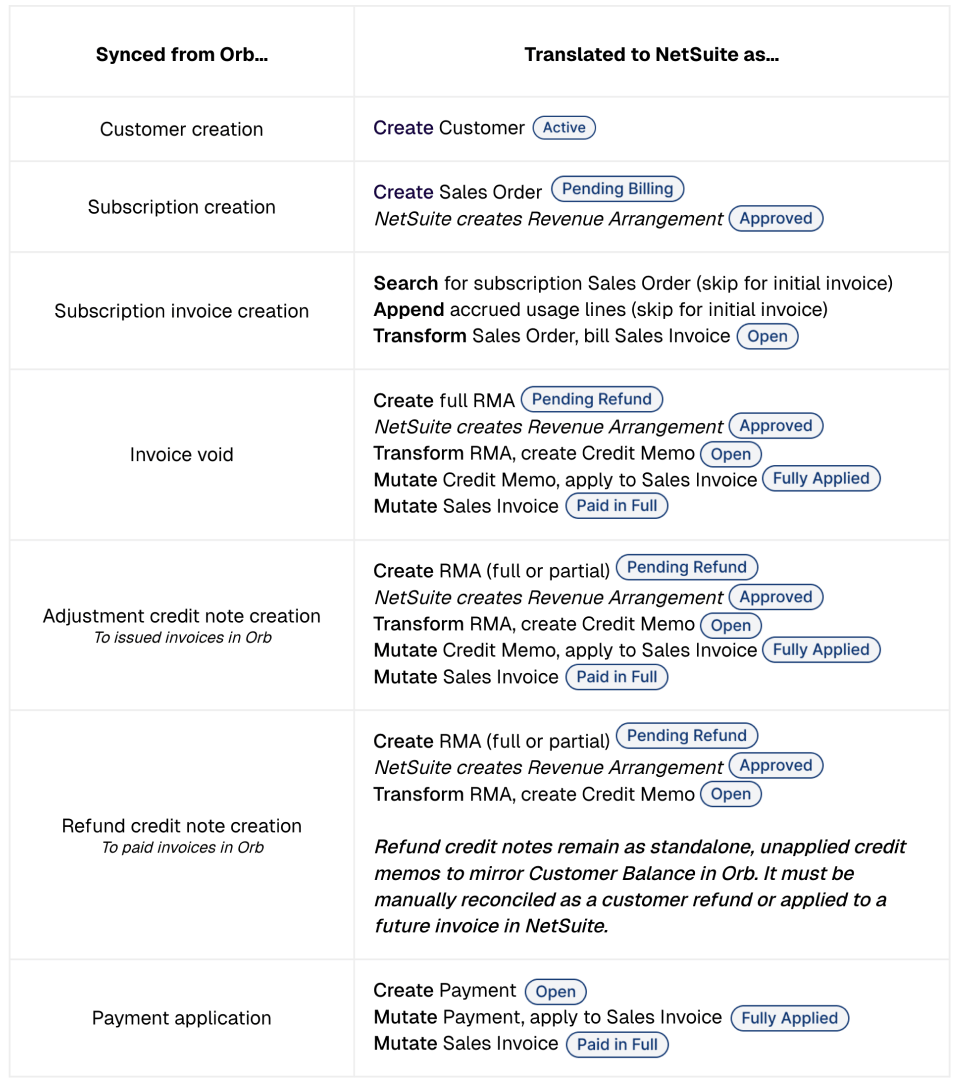
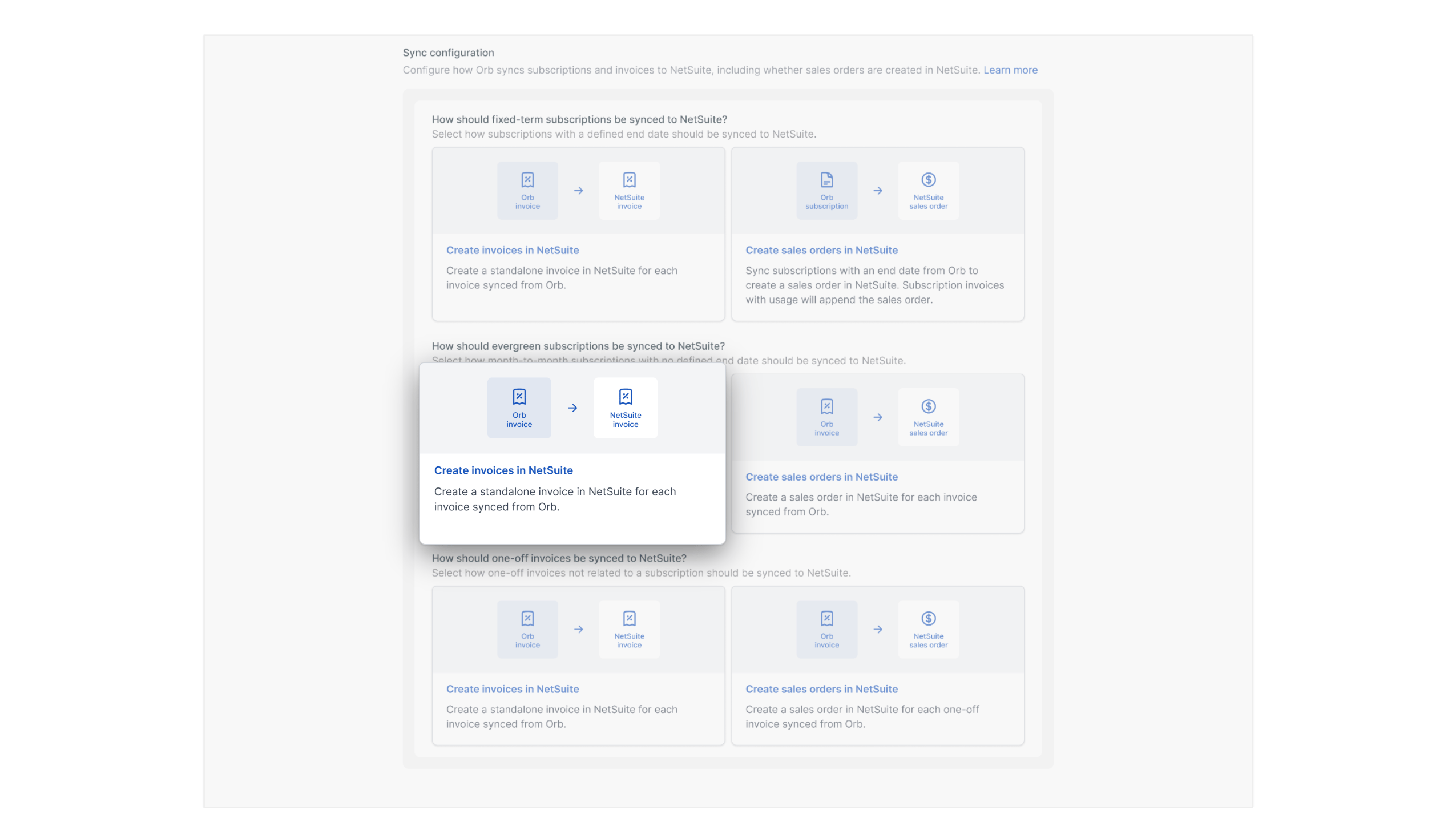
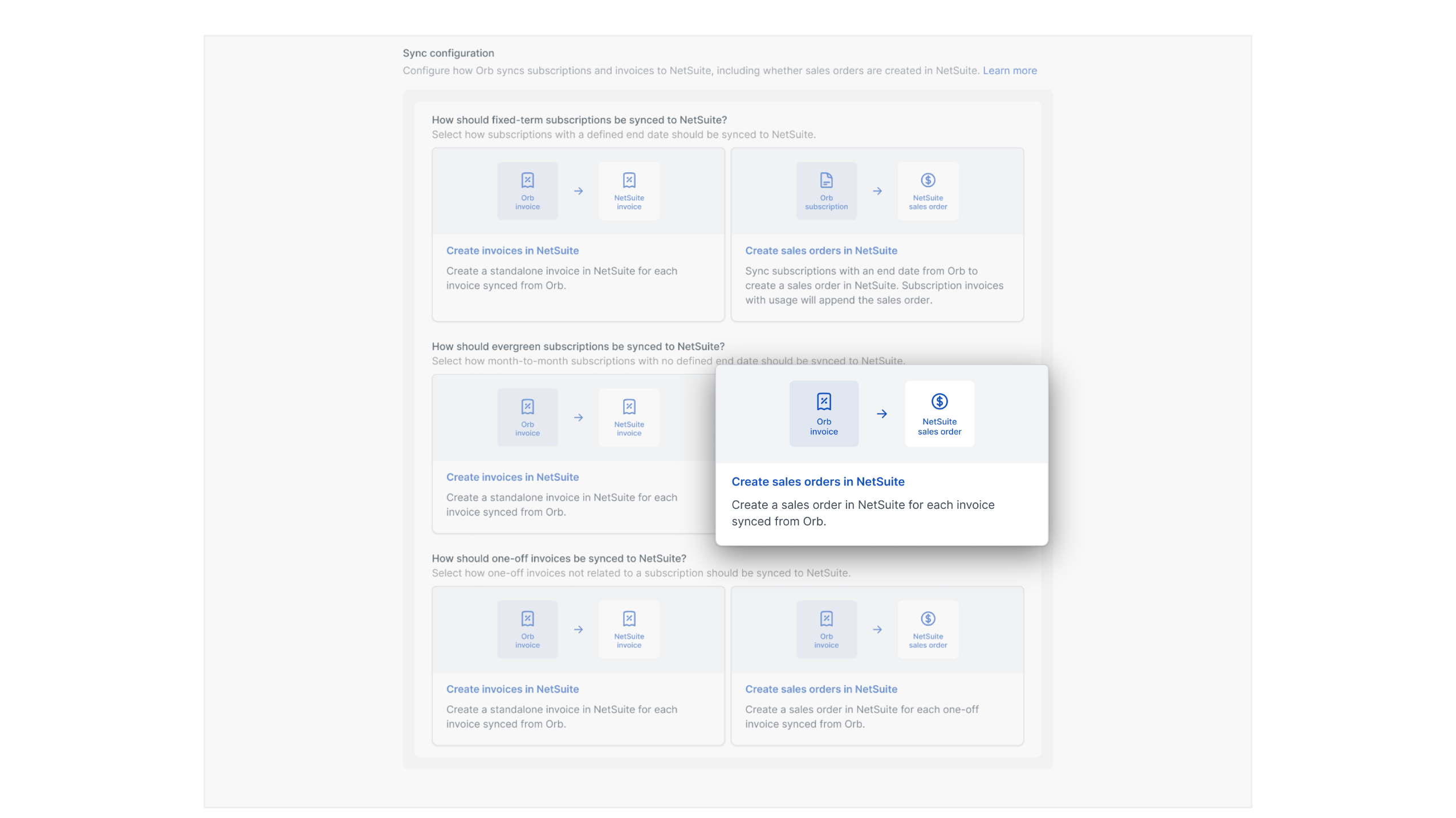
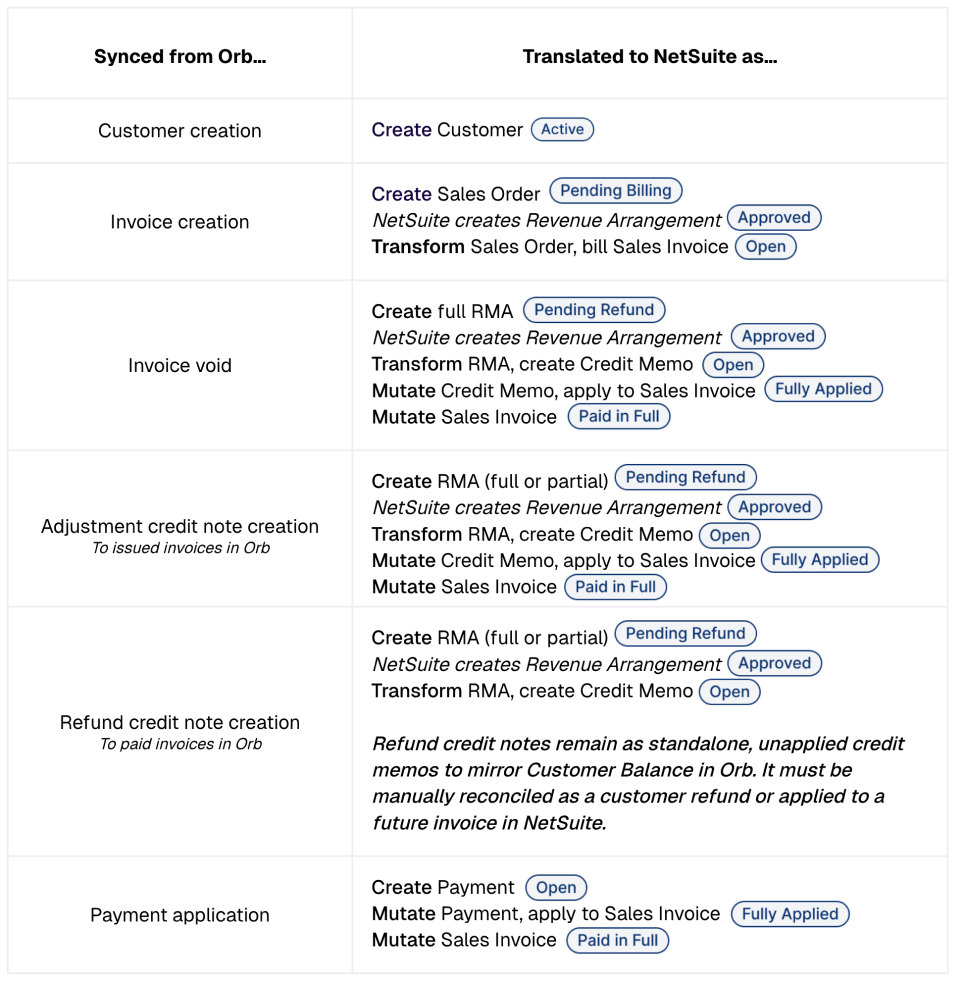
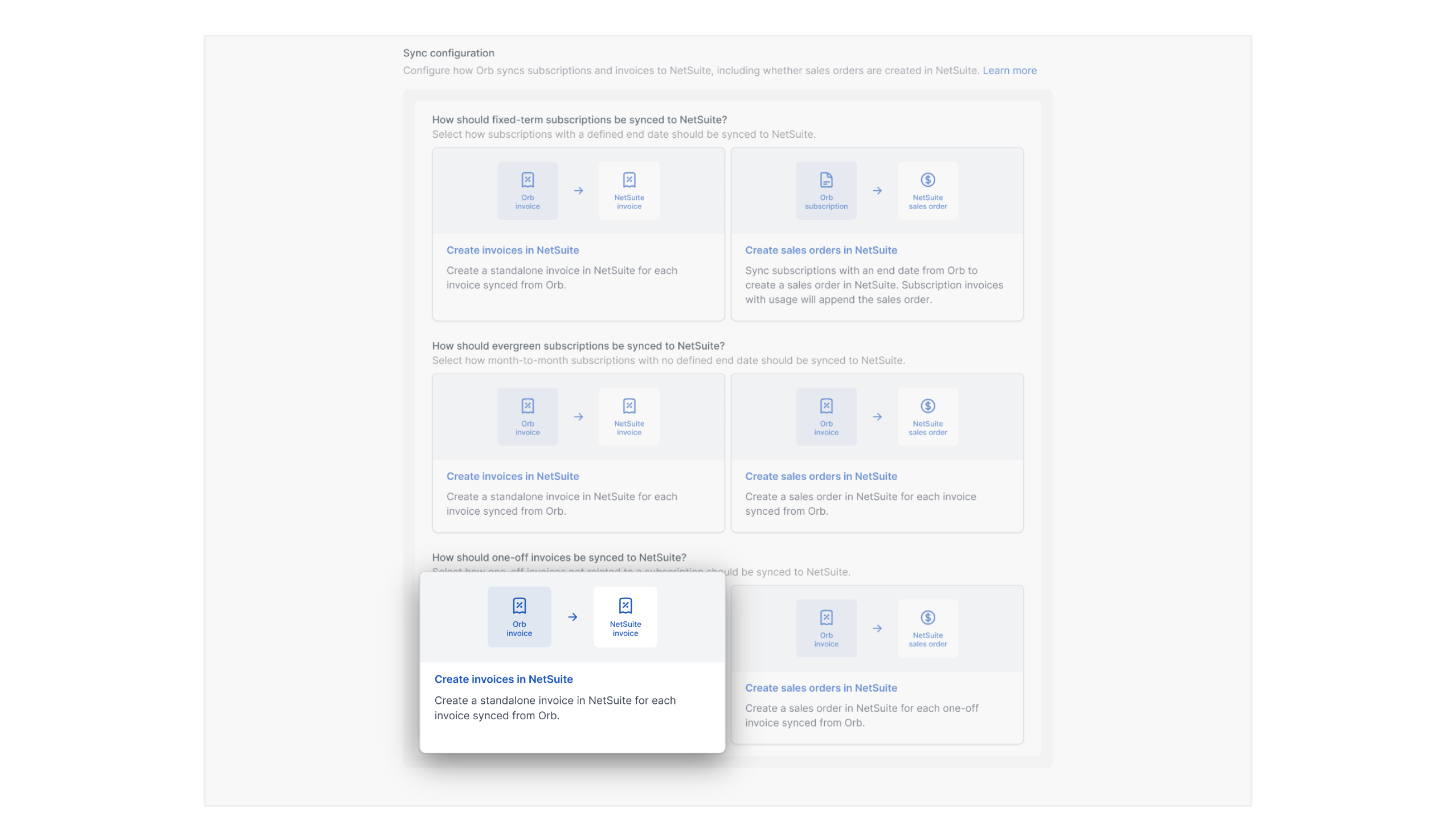
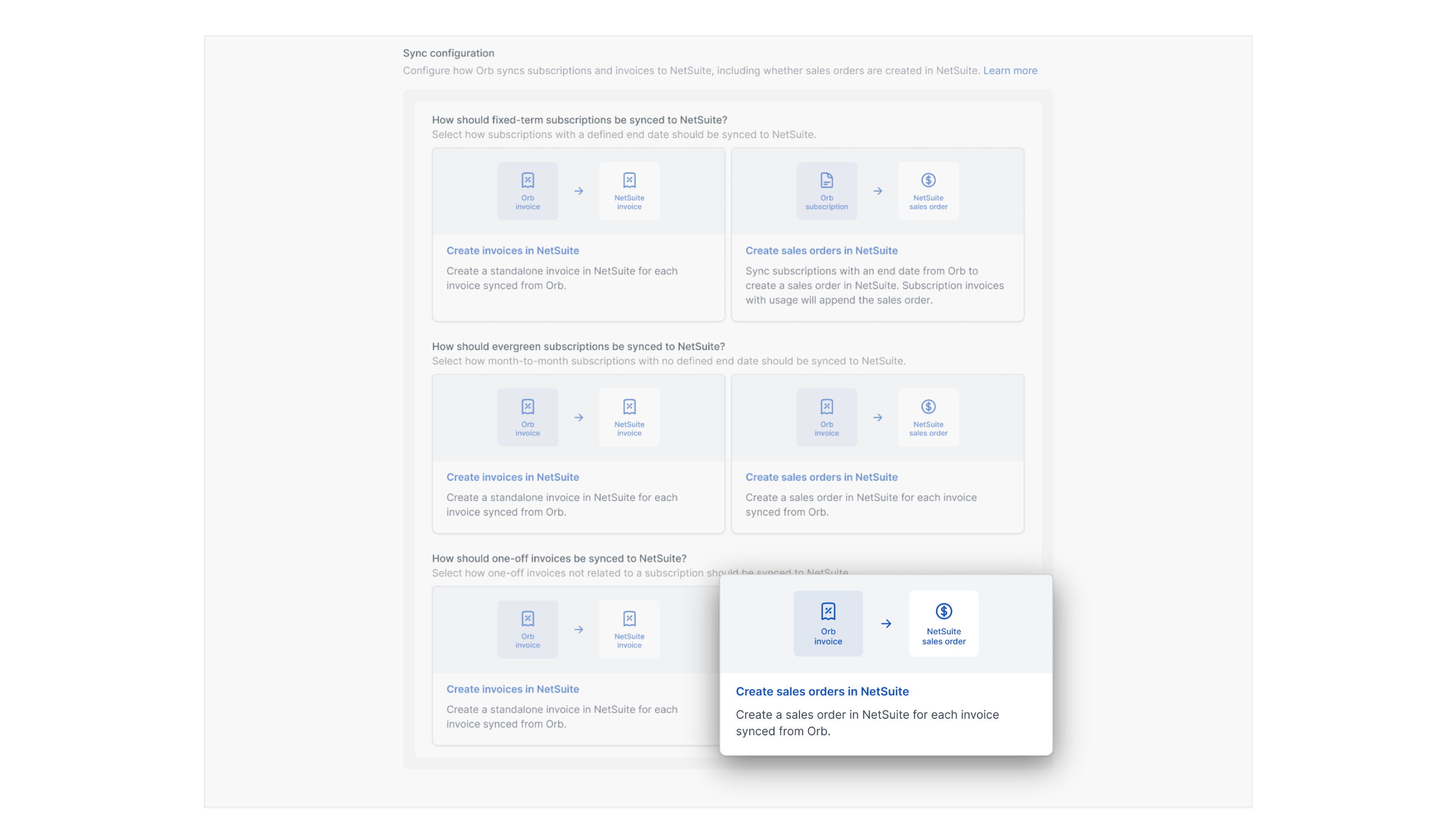
When syncing transactions from Orb to open accounting periods in NetSuite, the integration supports creating sales invoices and credit memos, OR sales orders and return authorizations. Choose the transaction mapping configuration that best fits your finance + accounting team’s preferences, and existing business processes. For each configuration selected, the following transaction steps will occur (creation, transformation, and mutations.)

Syncing fixed-term subscriptions

Subscriptions with a fixed-term (defined end date) represent canonical customer “contracts” in Orb.

If you choose to sync transactions for fixed-term subscriptions as standalone Sales Invoices in NetSuite…

Nsmap1
Nsinvoiceonly
Nsmap2
Nscomplexso

How Orb handles fixed consideration on “contracts”

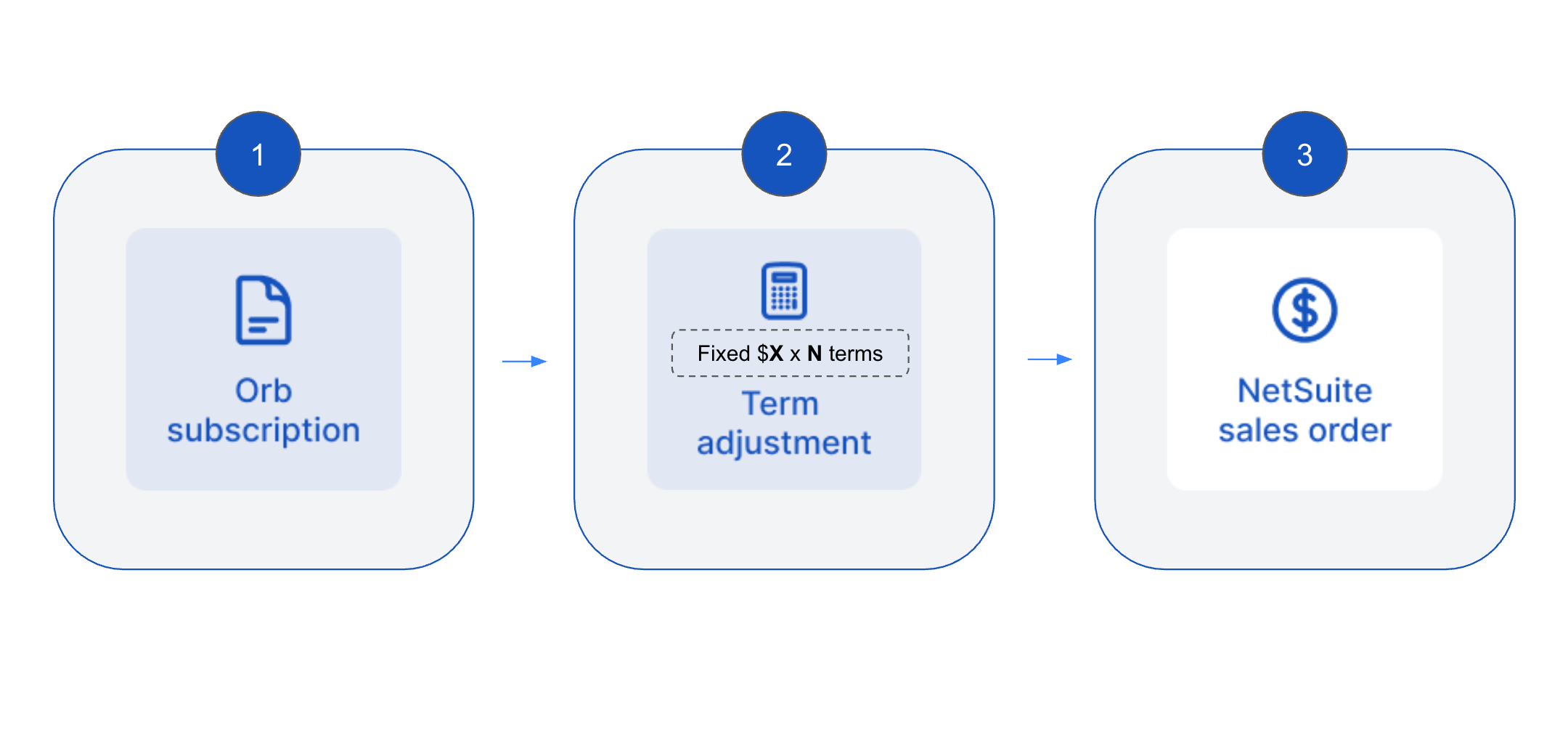
For fixed-term subscriptions synced as sales orders, Orb treats the sales order as the contract-level record rather than just a reflection of a single invoice cycle. Orb aligns the sales order to the subscription term defined in Orb — specifically, the subscription’s end date — so NetSuite can represent the full scope of the commitment and apply revenue recognition over the intended contract term, instead of being constrained by invoicing cadence alone.Mechanically, Orb does this by pre-computing termed fixed-fee line amounts on the sales order. For each eligible fixed-fee line, Orb takes the amount configured on the Orb subscription and scales it by the number of billing terms in the subscription, so the sales order reflects the full termed value of the contract rather than only the amount billed on the current invoice.
Netsuite111

Syncing evergreen subscriptions

Subscriptions that have no defined end date represent recurring agreements in Orb.

If you choose to sync transactions for evergreen subscriptions as standalone Sales Invoices in NetSuite…

Nsmap3
Nsinvoiceonly

If you choose to sync transactions for evergreen subscriptions as standalone Sales Orders in NetSuite…

Nsmap4
Nssimpleso

Syncing one-off invoices

One-off invoices represent ad hoc charges outside the subscription.

If you choose to sync one-off invoices as standalone Sales Invoices in NetSuite…

Nsmap5
Nsinvoiceonly

If you choose to sync one-off invoices as standalone Sales Orders in NetSuite…

Nsmap6
Nssimpleso

Why Orb uses reversals to represent invoice voids for sales order based mappings

In sales-order-based mappings, Orb creates a full Return Authorization (RMA) in NetSuite and then transforms that RMA into a credit memo applied to the related sales invoice, rather than relying on NetSuite’s native void mutation.NetSuite’s native void behavior is unreliable in practice – it is highly sensitive to environment-level configurations and accounting preferences such that native voids may not be consistently available or appropriate for all transaction types.More importantly, for sales order setups, a pure NetSuite sales invoice void leaves the related revenue arrangement on the sales order live, whereas an RMA created from the sales order reverses the revenue elements and triggers the corresponding revenue plan reversals. This makes the RMA flow the closest NetSuite-native equivalent of the full AR and revenue reversal that occurred in Orb.Many NetSuite finance teams prefer explicit reversal records over native invoice voids for corrections, because those approaches create a clearer accounting trail and align better with standard controls.

How subscription edits are handled in NetSuite

Subscription edits and plan changes are reflected in NetSuite when finalized billing events are synced from Orb. This keeps NetSuite aligned to stable, auditable billing records rather than in-progress commercial state. At a high level, Orb handles subscription edits using two principles:
  • Forward-looking changes that only affect unbilled periods have no immediate effect in NetSuite until the upcoming finalization event. 
    • The exception is fixed-term subscriptions that see an immediate adjustment to the sales order in NetSuite.
  • Backdated changes that affect already-issued invoices are reflected through Orb’s normal credit and reversal flows.
Here are the specific impacts for different types of subscription edits, for different types of subscriptions in Orb:
Amendment TypeFixed-term subscriptionsEvergreen subscriptions & one-off invoices
Forward-looking rate changes for fixed fee pricesA partial-line RMA closes out the original line on the Sales Order. A new line is created for the remaining subscription term at the updated rate.Reflected on the next Sales Order or Invoice.
Forward-looking increase / decrease in (fixed fee) quantityA partial-line RMA closes out the original line on the Sales Order. A new line is created for the remaining term at the updated quantityReflected on the next Sales Order or Invoice.
Forward-looking change to usage price, rate or quantityUsage lines are always additive — changes are appended as new lines on the Sales Order. No RMA required.Reflected on the next Sales Order or Invoice.
Forward-looking (scheduled) cancellationA partial-line RMA closes out the remaining subscription term.Reflected on the next Sales Order or Invoice.
Forward-looking Term (end date) changesSales Order end date is updated. A partial-line RMA closes out affected fixed fee lines, and new lines are created for the extended term.Reflected on the next Sales Order or Invoice.
Backdated changesHandled via RMA, credit memo, or record void reversing the affected period and reposting the corrected amounts.Handled via RMA, credit memo, or record void reversing the affected period and reposting the corrected amounts.