> ## Documentation Index
> Fetch the complete documentation index at: https://docs.withorb.com/llms.txt
> Use this file to discover all available pages before exploring further.
# License alerting
# Introduction
License scoped alerts extend Orb’s [real‑time alerting](https://docs.withorb.com/usage-alerting/overview) so you can monitor and act on usage and credit consumption at the level of an individual license (for example, a specific user, agent, or workspace), not just at the customer or shared‑pool level.
With license scoped alerts, Orb continuously tracks per‑license usage and remaining allocation availability. When a license’s pool crosses a configured threshold—such as 75%, 90%, or 100% consumed—Orb does the following:
* Render in‑app notifications in the Orb UI
* Fire webhooks that include license identifiers and balance details
* Feed downstream systems (entitlements, customer messaging, internal tooling) so you can automatically adjust access, trigger upsell flows, or notify operators for follow‑up
This gives you fine‑grained control and optionality to:
* Seamlessly run freemium / trial programs, without the COGS risk
* Enforce product access or restrictions, like gating premium features
* Control spend and enforce fairness
# Operator’s guide
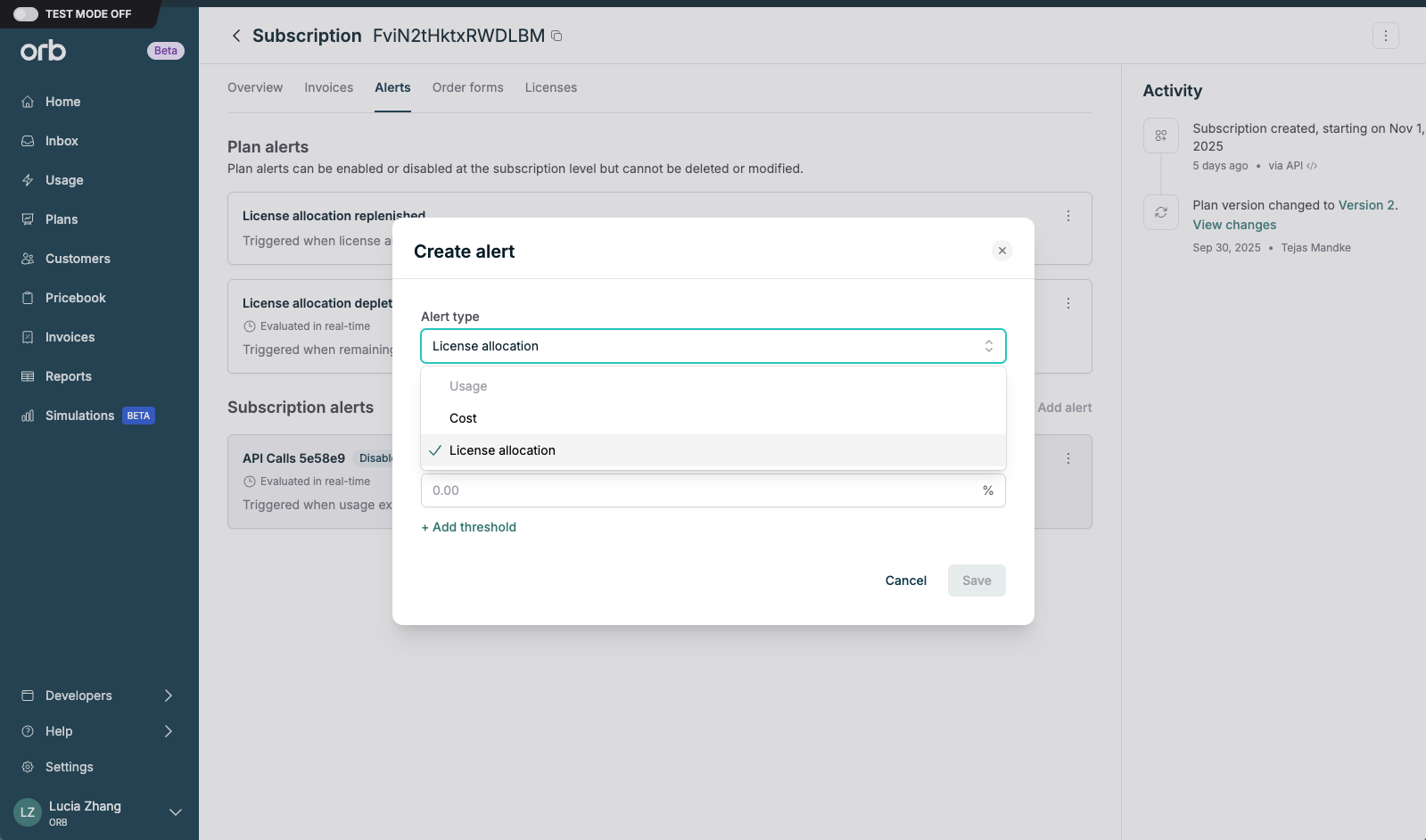
1. When configuring a plan or subscription, add a license allocation alert.
1. Alerts configured at the plan-level will be inherited by any subscriptions created for that plan.
2. Orb recommends creating the following alerts at the plan level:
1. **License allocation depleted** – usage consumes 100% of available allocation for the billing period, product access should be restricted.
2. **License allocation replenished** – usage resets to 0% of available allocation for the billing period, product access should be restored.
3. **License allocation exceeds** – usage has crossed some X% threshold of available allocation for the billing period, which can be used as a soft-limit to prevent abuse and overage, or as a trigger for upsell.
3. Configured alerts will fire an (aggregated) webhook that can be used to hook into downstream systems and workflows (entitlements, customer messaging, internal tooling).
 # End-to-end entitlements management
## Sample workflow
1. Create a license type, a plan with licenses and per-license allocations, and configure license allocation alerts for key thresholds. (See Operator’s Guide above).
2. Create a subscription and activate licenses.
1. License identifiers are typically sourced from your existing identity management system.
2. Many teams reuse a stable ID from their identity provider (Ex: Okta, Azure, AD) such as `user_id` or `external_license_id`.
3. As license usage is ingested, when the license allocation alert
1. **Is depleted**, turn off product access by leveraging the following fields:
1. `alert_configuration.threshold` – 0%
2. `fired_licenses[]` – the specific licenses that just crossed a threshold.
1. `external_license_id`: your user / seat / agent identifier to disable.
2. `license_type_id`: which license type this applies to
2. **Is replenished**, turn on product access by leveraging the following fields:
1. `reset_allocations[]` – the specific licenses need to be reset.
3. **Exceeds custom threshold**, send upsell banners, in-product notifications by leveraging the following fields:
1. `alert_configuration.thresholds` – all configured thresholds (for example, 25%, 50%, 100%).
2. `fired_licenses[]` – the specific licenses that just crossed a threshold:
1. `external_license_id`: your user / seat / agent identifier
2. `license_type_id`: which license type this applies to
3. `threshold_percentage`: which threshold was hit (for example, "`50`" or "`100`")
# End-to-end entitlements management
## Sample workflow
1. Create a license type, a plan with licenses and per-license allocations, and configure license allocation alerts for key thresholds. (See Operator’s Guide above).
2. Create a subscription and activate licenses.
1. License identifiers are typically sourced from your existing identity management system.
2. Many teams reuse a stable ID from their identity provider (Ex: Okta, Azure, AD) such as `user_id` or `external_license_id`.
3. As license usage is ingested, when the license allocation alert
1. **Is depleted**, turn off product access by leveraging the following fields:
1. `alert_configuration.threshold` – 0%
2. `fired_licenses[]` – the specific licenses that just crossed a threshold.
1. `external_license_id`: your user / seat / agent identifier to disable.
2. `license_type_id`: which license type this applies to
2. **Is replenished**, turn on product access by leveraging the following fields:
1. `reset_allocations[]` – the specific licenses need to be reset.
3. **Exceeds custom threshold**, send upsell banners, in-product notifications by leveraging the following fields:
1. `alert_configuration.thresholds` – all configured thresholds (for example, 25%, 50%, 100%).
2. `fired_licenses[]` – the specific licenses that just crossed a threshold:
1. `external_license_id`: your user / seat / agent identifier
2. `license_type_id`: which license type this applies to
3. `threshold_percentage`: which threshold was hit (for example, "`50`" or "`100`")