> ## Documentation Index
> Fetch the complete documentation index at: https://docs.withorb.com/llms.txt
> Use this file to discover all available pages before exploring further.
# Customer balance
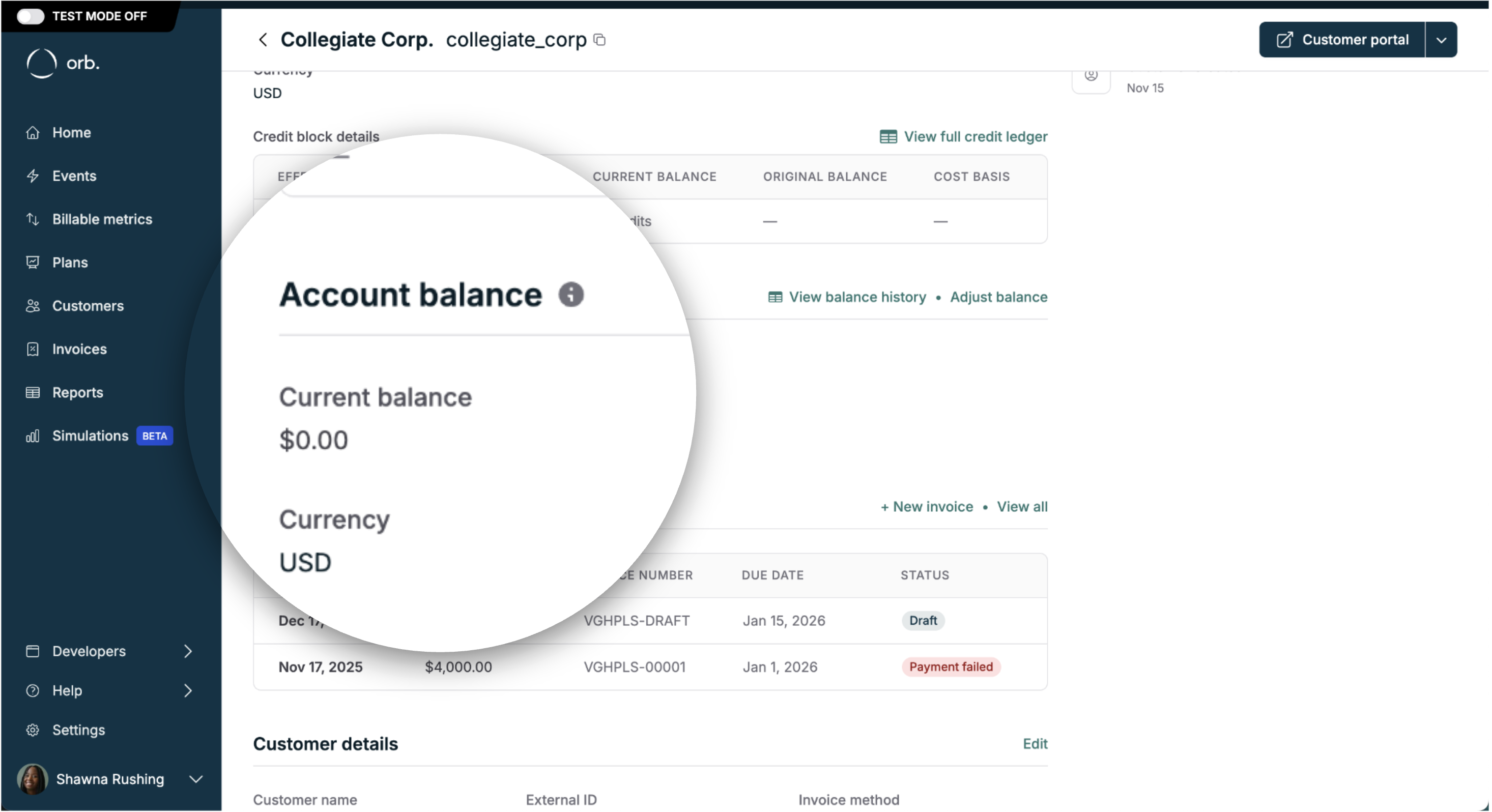
Customer balance in Orb functions like a **"digital wallet"** that tracks accounts receivable amounts in Orb.
**Not to be confused with prepaid credits.** Customer balance is separate from the [prepaid credit ledger](/product-catalog/prepurchase). See [Credit systems](/product-catalog/credit-systems) for a detailed comparison of when to use each.
* It is always maintained in the customer’s billing currency.
* It is automatically applied to the subsequent invoice upon issuance, and modifies the final amount due.
* **Customer balance does not affect revenue recognition.** Revenue in Orb continues to be recognized based on invoice line items, based on actual accrual + delivery of performance obligations.
* **Customer balance does not create deferred revenue**. It is strictly an accounts receivable (AR) adjustment in Orb, and is not associated with any standalone billing event or payment.
* However, it **does** impact [accounts receivable (AR)](https://docs.withorb.com/financial-operations/ar-aging), collections, and cash/payment reporting, since it represents real outstanding value owed between you and your customer.
 ### How customer balance is modified
1. **Manual adjustment**
1. You can directly increase or decrease a customer’s balance.
2. Manual increases can result from a “good will” account credit, or concessions to a customer for unsatisfactory service.
3. Manual decreases are typically used for corrections / reconciliation.
2. [**Orb facilitated refunds**](https://docs.withorb.com/invoicing/credit-notes#issuing-a-refund-credit-note)
1. When a credit note is applied to a paid invoice, or that paid invoice is voided, Orb increases the customer balance to represent the refunded value.
3. [**Small Balance Carryovers**](https://docs.withorb.com/invoicing/payments#automatic-balance-carryover-for-small-invoices)
1. Payment providers like Adyen and Stripe require a minimum charge amount of \$0.50 (or current equivalent).
2. If an invoice is issued with an amount below this threshold, it is automatically marked as paid and the small amount is carried over to the customer balance. This amount is then applied to the subsequent invoice, and increases the final amount due.
**Recommended refund workflow for payment provider-initiated refunds**
* To actually return money back to a customer, you should **initiate a refund directly in your payment provider** (such as Adyen or Stripe).
* To keep accounts receivable (AR), cash, and billings reporting aligned, it’s ******best practice to create a ******[******refund credit note******](https://docs.withorb.com/invoicing/credit-notes#issuing-a-refund-credit-note)****** in Orb and then manually decrease the customer balance in Orb****** to reflect that the cash refund already occurred outside Orb.
### Accounting impact (T-accounts)
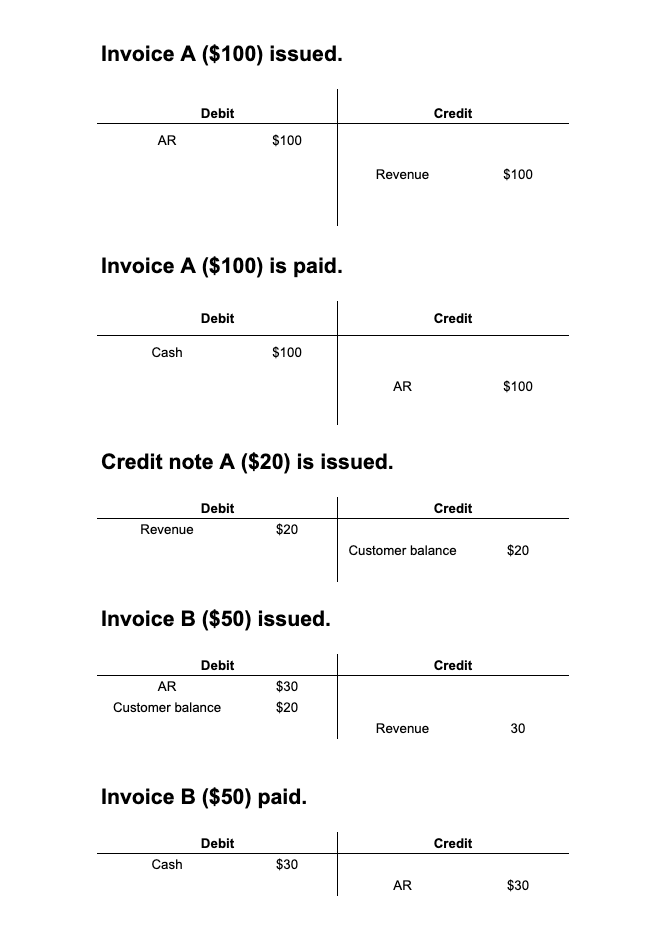
This is how customer balance impacts the ledger for the following example:
1. Invoice A (\$100) issued.
2. Invoice A (\$100) is paid.
3. Credit note A (\$20) is issued.
4. Invoice B (\$50) issued.
5. Invoice B (\$50) paid.
### How customer balance is modified
1. **Manual adjustment**
1. You can directly increase or decrease a customer’s balance.
2. Manual increases can result from a “good will” account credit, or concessions to a customer for unsatisfactory service.
3. Manual decreases are typically used for corrections / reconciliation.
2. [**Orb facilitated refunds**](https://docs.withorb.com/invoicing/credit-notes#issuing-a-refund-credit-note)
1. When a credit note is applied to a paid invoice, or that paid invoice is voided, Orb increases the customer balance to represent the refunded value.
3. [**Small Balance Carryovers**](https://docs.withorb.com/invoicing/payments#automatic-balance-carryover-for-small-invoices)
1. Payment providers like Adyen and Stripe require a minimum charge amount of \$0.50 (or current equivalent).
2. If an invoice is issued with an amount below this threshold, it is automatically marked as paid and the small amount is carried over to the customer balance. This amount is then applied to the subsequent invoice, and increases the final amount due.
**Recommended refund workflow for payment provider-initiated refunds**
* To actually return money back to a customer, you should **initiate a refund directly in your payment provider** (such as Adyen or Stripe).
* To keep accounts receivable (AR), cash, and billings reporting aligned, it’s ******best practice to create a ******[******refund credit note******](https://docs.withorb.com/invoicing/credit-notes#issuing-a-refund-credit-note)****** in Orb and then manually decrease the customer balance in Orb****** to reflect that the cash refund already occurred outside Orb.
### Accounting impact (T-accounts)
This is how customer balance impacts the ledger for the following example:
1. Invoice A (\$100) issued.
2. Invoice A (\$100) is paid.
3. Credit note A (\$20) is issued.
4. Invoice B (\$50) issued.
5. Invoice B (\$50) paid.